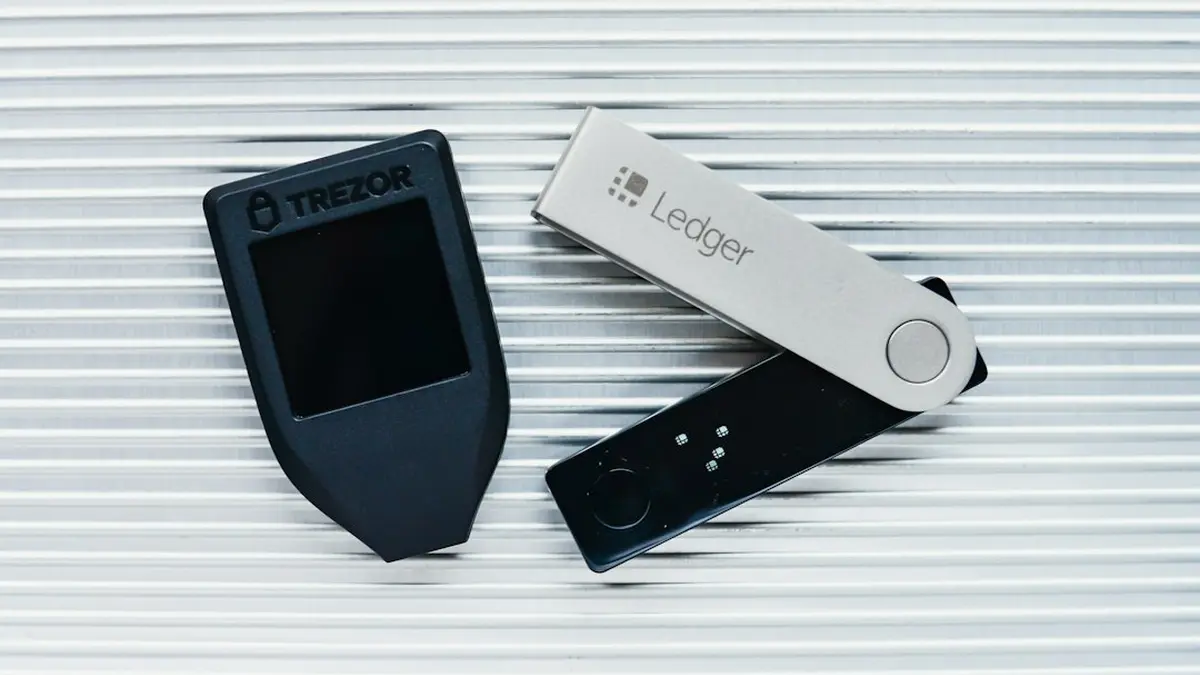
By the end of this you'll have several separate farming addresses on one Ledger, plus an optional hidden set behind a passphrase, in about twenty minutes. Before you start, know this: the extra accounts all come back from your 24 words, but a passphrase wallet comes back only if you still have the exact passphrase. Lose it and the funds are gone for good.
What you need
-
A Ledger already set up with its 24-word recovery phrase
A Nano X or Nano S Plus. LedgerMind's device comparison lists the Nano X with PIN-protected secondary accounts and a 100-character passphrase limit.
-
The Ethereum app on the device at version 1.22.3 or later
The version AirdropAlert recommended after the August 2026 Ledger phishing wave.
-
MetaMask or Rabby installed in your browser
Either one can read several addresses off the same device.
-
Paper and a pen
Only needed if you plan to set a passphrase.
The steps
-
Open the Ethereum app on the unlocked Ledger
Enter your PIN and open the app. You should see it confirm that it's ready.
-
Choose the hardware wallet option in MetaMask or Rabby
Pick Ledger when it asks. You should see a list of addresses, all derived from your one seed.
-
Tick the addresses you want to farm with
Each one is a separate address and can be recovered from the same 24 words. They should now show in the wallet with zero or existing balances.
-
Label each address
Give each a name you'll recognize at claim time. The labels should appear in the account list.
-
Write the passphrase on paper first
This step is optional and gives you a fully separate set. Ledger Academy says the passphrase can be up to 100 characters, is case-sensitive and can include numbers and symbols. You choose it, the device doesn't generate it.
-
Set the passphrase on the device
Ledger offers two ways to do it: a temporary passphrase you type in each session, or one tied to a secondary PIN. For a farming set you'll open often, the secondary PIN is the less error-prone of the two.
-
Connect again and check the new addresses are empty
In Ledger's words, setting a passphrase "opens a separate set of accounts with brand-new addresses, and those accounts start empty." Your standard accounts stay exactly where they were, reachable with just the 24 words and the main PIN.
-
Test the passphrase before funding
Lock the device, enter the passphrase again and confirm the same first address appears. One wrong character produces a different, empty wallet, so you want to find out now, while nothing is in it.
On a Trezor Safe 3 the same idea is called a hidden wallet. Trezor describes a standard wallet that's always available and a separate hidden wallet for every distinct passphrase, with spaces counting as characters and nothing stored on the device. The sources here don't cover how passphrase entry works on the Safe 3 itself, so check Trezor's own documentation for that part.
Will one device get me flagged?
Not by itself, and the reporting backs that up. The signals the filters use are shared funding sources, identical activity and coordinated timing, according to DL News. None of the sources lists the hardware as a signal. What does get flagged is funding. Analysts trace deposits back 3 to 5 hops to a common source, and a hub wallet that funds many satellite wallets reads as an instant star pattern. Fund each address from a separate source, or the device setup above doesn't matter.
The strongest objection comes from WhySoGeek, which argues that the many-wallets playbook is dead and that filters can remove up to 40% of claimants. It's a fair point, and Linea's numbers support it: about 800,000 wallets filtered against about 749,000 accepted. But that's an argument about how many wallets are worth running and how differently you use them, not about where the keys live. There is one real catch. A September 2026 post points out that frontends log your IP, your browser and your RPC before you sign anything, so several wallets connected from one browser session can be linked whatever the chain shows. Where that line falls is the question of how many wallets is too many.
If it did not work
You now have labeled farming addresses on one seed, a tested hidden set if you wanted one, and a funding plan that keeps them from pointing back to each other. The next decision is how many of them to run.
Where does a handful of wallets become a sybil cluster?
What protocols have published about their filters, and the wallet counts that cross the line.
Read how many wallets is too many
Comments
No comments yet. Be the first to comment!
Leave a Comment